Server-side tracking: why your ad data goes missing and how to fix it

In short: platform numbers don’t match your sales because some events get lost in the browser (ad blockers, privacy settings, weak connections, pages closed quickly). Server-side tracking sends key events such as purchases straight from your server to the platforms, through interfaces like Meta’s Conversions API or a Google Tag Manager server container. The result: more complete data, more control over what’s sent, and better campaign learning. Respecting consent and data protection remains a must.
“The platform says 40 orders, my store says 60.” Or the other way round. This gap is one of the things we see most when reviewing clients’ accounts, and it has a direct effect: the platform learns from incomplete data, so it targets worse.
Why does data go missing?
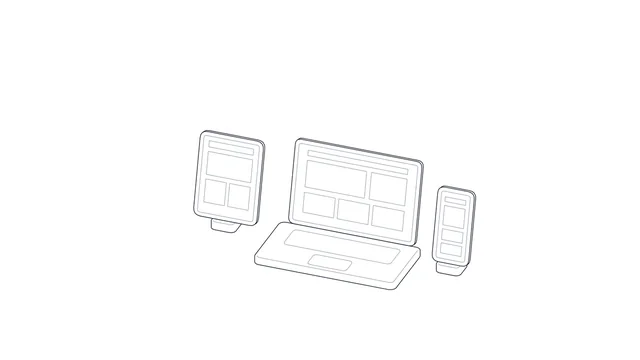
Traditional tracking relies on code (a pixel) running in the visitor’s browser. That code may not run or send in many cases:
- Ad blockers and privacy extensions in the browser.
- Browser and operating system limits on cookies and tracking.
- A weak connection, or the page being closed before sending finishes.
- Purchase paths that end off the site: a payment gateway, WhatsApp, or a later confirmation.
What is server-side tracking?
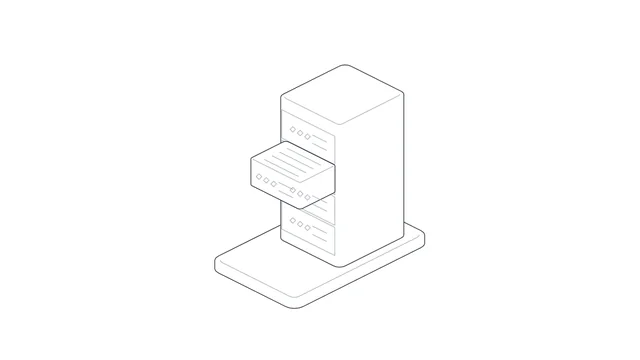
Instead of relying only on the browser, your server (or an intermediate server you control) sends events to the platforms. Two main ways:
- Direct conversion APIs: such as Meta’s Conversions API, and their equivalents on Snapchat and TikTok. Your server sends a “purchase” event once the order is actually confirmed.
- A Google Tag Manager server container: according to Google, the site sends data to a server container URL running in infrastructure you control, which turns it into events and routes them to destinations such as Google Analytics. Among the benefits Google lists: you alone control the data until you choose to send it, you decide its shape and destination, tags are more secure, and one container can measure across devices.
Usually the best is to combine them: the browser pixel for interaction events and the server for decisive events such as purchases, with a shared “event ID” so an order isn’t counted twice.
What do you gain in practice?
- More complete data: more orders reach the platform, so it learns who actually buys.
- Higher accuracy: you send the order after it’s confirmed, not when a button is clicked.
- Off-site events: a sale closed on WhatsApp or by phone can be sent from your system.
- Privacy control: you decide what’s sent and what’s removed before it reaches any platform.
- A lighter site: fewer tags running in the browser.
Privacy and consent
Server-side tracking doesn’t mean bypassing the user’s consent. With the Personal Data Protection Law now enforced, respect visitors’ choices, name the tools you use in your privacy policy, send the minimum data needed, and hash customer data (such as email and phone) before sending it, as the platforms require.
How do you start?
- Compare your actual orders with what each platform records over a month, to see the size of the gap.
- Start with the purchase event through the conversion API of your biggest platform.
- Turn on deduplication with a shared event ID between the pixel and the server.
- Watch the “event match quality” in the platform’s dashboard and improve it.
- Expand to the other platforms and events (add to cart, lead).
Frequently asked questions
Do store platforms like Salla and Zid support this?
Many offer ready connections or apps for the big platforms’ conversion APIs. Check the setup and place a test order to make sure it arrives once.
Do I need my own server?
For conversion APIs through a ready integration, usually not. For a Tag Manager server container, you need cloud hosting with a monthly cost that depends on traffic.
Will the number match my sales 100%?
It rarely matches exactly because of consent and attribution windows. The aim is to shrink the gap substantially, and always to compare the total with your actual sales.
The bottom line
Server-side tracking returns lost data to your platforms, gives you more control, and improves your campaigns’ learning, while respecting consent and privacy. If you want someone to build the whole tracking setup, have a look at our digital advertising service.